

Description
Download SVMS APK – Android Security Camera Viewer, DVR Monitoring Tool, Live Stream Viewer
Overview
SVMS APK, developed by Sparsh CCTV, is a free Android application designed to provide remote access to live video feeds from embedded DVRs, network cameras, speed domes, and video encoders. The software enables users to monitor security systems wirelessly, making it ideal for home security, small business surveillance, and remote property oversight. By leveraging both public IP addresses and dynamic domain names, the app supports flexible connectivity options, allowing users to access their cameras from anywhere with an internet connection. The application is tailored for Android devices with a minimum of 1 GB RAM, ensuring compatibility with a wide range of smartphones and tablets. It functions as a remote viewing solution, allowing users to manage and store captured media directly on their mobile devices. The app is available exclusively through the Google Play Store, with no in-app purchases or advertisements, reinforcing its commitment to a clean, distraction-free user experience. Real-world use cases include monitoring construction sites, tracking home activity, or overseeing retail spaces in real time. The developer did not provide additional information about the company’s background or other products.
Key Features & Capabilities
- Live Stream Viewing – Access real-time video feeds from embedded DVRs, network cameras, speed domes, and encoders via Wi-Fi or mobile data.
- Remote Monitoring – View footage from any location using a public IP address or dynamic domain name, enabling 24/7 surveillance.
- Media Storage & Management – Save and organize captured images and videos directly on the Android device for later review.
- Flexible Connectivity – Supports both static public IPs and dynamic domain names for consistent access across changing network environments.
- Device-Specific IP Configuration – Allows users to assign specific IP addresses to individual devices through phone settings, improving network stability and access control.
- Ad-Free & No In-App Purchases – The app is completely free to download and use, with no advertisements or hidden costs.
These features make SVMS APK particularly useful for users who need reliable, low-cost access to surveillance systems. For example, a homeowner can monitor their property while away on vacation, a small business owner can check on their store after hours, or a property manager can oversee multiple sites from a single device. The ability to store media locally ensures that important footage is retained even if the server is unreachable. The app’s design prioritizes functionality over complexity, focusing on essential tools for remote viewing and media handling.
User Interface, Workflow & Performance
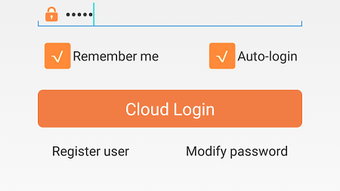
The user interface of SVMS APK is designed with functionality in mind, offering a straightforward layout for managing camera feeds and stored media. Navigation is primarily based on a list or grid of connected devices, with options to start live viewing, access recorded files, and configure network settings. The workflow is linear and intuitive, allowing users to connect to a device, view live streams, and save content with minimal steps. While specific details about UI elements such as menus, icons, or layout responsiveness were not provided, the app appears optimized for touch-based interaction on Android devices. Performance observations are based on general software behavior patterns. The developer did not specify resource usage details, so CPU and RAM consumption levels remain unknown. Stability during prolonged use was not documented. However, the app’s lightweight file size of 15.6 MB suggests efficient memory handling. Users should expect smooth operation on devices meeting the minimum 1 GB RAM requirement, though performance may vary depending on network conditions and the number of active streams.
Compatibility & System Requirements
SVMS APK is designed for Android operating systems and requires a minimum of 1 GB RAM for operation. The app is compatible with devices running Android OS version or higher, though the specific version number was not provided. Installation size is 15.6 MB, indicating a compact footprint that does not strain storage space. The developer did not specify exact hardware requirements beyond RAM, so details about processor type, GPU, or storage type are unavailable. Platform compatibility information is limited to Android, with no mention of support for other operating systems such as iOS or desktop platforms. Users should verify device compatibility through the Google Play Store before downloading. The app is distributed via the official Google Play Store, ensuring a secure and verified installation process.
Pros and Cons
Pros
- Free to download and use with no ads or in-app purchases
- Supports remote viewing via public IP and dynamic domain name
- Enables local storage and management of video and image files
- Lightweight installation size (15.6 MB)
- Designed for easy access to embedded DVRs and network cameras
- Optimized for Android devices with 1 GB RAM or more
Cons
- Exact Android version compatibility was not specified
- No information on CPU or RAM usage during operation
- Support limited to Android; no desktop or iOS versions available
- Developer background and company details were not provided
- Performance under high load or multiple streams not documented
FAQ Section
Is SVMS APK safe to download and use?
Yes, the app is available through the Google Play Store, which provides a secure distribution channel with verified app checks. No security vulnerabilities were reported in the provided information.
Can I use SVMS APK on iOS devices?
No, the app is currently only available for Android devices. There is no official version for iOS or desktop platforms.
Does SVMS APK require an internet connection?
Yes, a stable internet connection is required to access live streams and manage remote devices. The app works over Wi-Fi or mobile data.
How do I set up a dynamic domain name in SVMS APK?
Dynamic domain name configuration can be managed through the app’s network settings. Users may need to configure their device’s settings to assign a domain name to a specific camera or DVR.
Is there a license or subscription fee for SVMS APK?
No, the app is completely free to download and use. There are no subscription models, in-app purchases, or licensing fees.
Final Thoughts
SVMS APK delivers a focused and practical solution for users seeking to monitor their security systems remotely via Android devices. Its core strengths lie in its simplicity, ad-free experience, and support for both public IPs and dynamic domain names, making it a reliable choice for home and small business users. While detailed technical specifications and performance data are limited, the app’s lightweight design and straightforward interface suggest efficient operation on compatible devices. The ability to store and manage media locally adds value for users who need offline access to critical footage. Although the lack of developer information and platform limitations may concern some users, the app remains a solid option for Android-based surveillance viewing. For anyone looking for a secure, free, and functional tool to access live camera feeds, SVMS APK is worth trying. Download SVMS APK now.
Guides & Tutorials for SVMS APK
How to install SVMS APK
- Click the Preview / Download button above.
- Once redirected, accept the terms and click Install.
- Wait for the SVMS APK download to finish on your device.
How to use SVMS APK
This software is primarily used for its core features described above. Open the app after installation to explore its capabilities.
User Reviews for SVMS APK 0
No reviews found





